
JOAPS 2026 is the official website to complete the admission process of IIT JAM. Candidates can log in to JOAPS to check all the lists for three admissions rounds. IIT Bombay is conducting the IIT JAM 2026 session examination.
Table of Contents
IIT Bombay is going to conducted the IIT JAM 2026 examination on Feb 15, 2026. JOAPS 2026 is the online portal avaialble for students to check on the admission status, important notifications, and other details related to the IIT JAM exam admission.
The login details are also important to fill in the JOAPS application form and move forward through the JOAPS admission process for IIT JAM.
What is JOAPS?
The JAM Online Application Processing System, or JOAPS, is the online portal for IIT JAM. IIT JAM is a national-level entrance exam conducted in online mode.
Candidates can secure admission into MSc or Ph.D. level programs through the IIT JAM exam, which is held for three hours. There are three kinds of questions appearing on the JAM questions: MCQs, MSQs, and NAT questions.
What Are the JOAPS 2026 Important Dates?
The table below denotes the important dates related to JOAPS 2026. Take a look and remember to check back for updates:
| Events | Dates |
|---|---|
| Submission of Application Form for Admission | Feb 15, 2026 |
| Declaration of First Admission List | To be Announced |
| Declaration of Second Admission List | To be Announced |
| Declaration of Third and Final Admission List | To be Announced |
| Closure of Admissions | To be Announced |
How to Download Admission List from JOAPS?
JOAPS 2026 admission list will be displayed through their official website. The admission list for the JOAPS 2026 exam can be downloaded using the following steps:
- Step 1: Log on to the official JOAPS website.
- Step 2: Click on the label 'JOAPS 2026: Candidate Login,' highlighted in green. It will redirect to the JOAPS portal for login.
- Step 3: Use your JOAPS login details such as password and enrollment ID.
- Step 4: Once done, click on the JOAPS first-round list.
- Step 5: The admission list will be displayed on your screen. Download and print out the list for future use.
Candidates can follow the same process to check the second and third rounds of the JOAPS 2026 admission list.
JOAPS 2026 Login Details
There are two important credentials required for candidates to log into the JOAPS system. It includes the following:
- Enrollment ID - The JAM enrollment ID is sent to the e-mail ID used while registering. It is also sent to the contact number of the candidate.
- Password - During the registration process, the candidate must select a password for future login use.
Also Check: IIT JAM Cut Off 2026
How to Access JOAPS 2026 Login Window?
Candidates can visit the JOAPS 2026 official website to access the login window. Here are the steps to access JOAPS portal 2026:
- Step 1: Log on to the official website for JOAPS 2026.
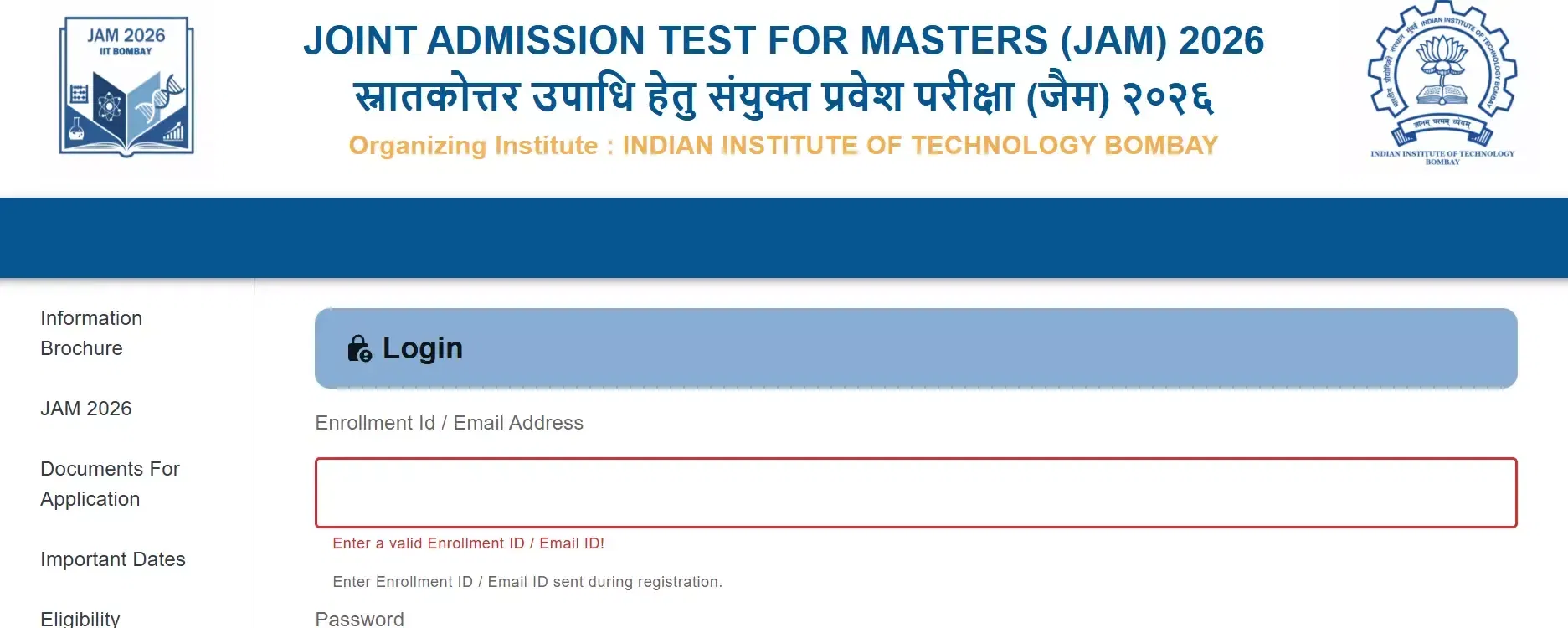
- Step 2: Afterwards, enter the enrollment id/e-mail id and password in the login window.
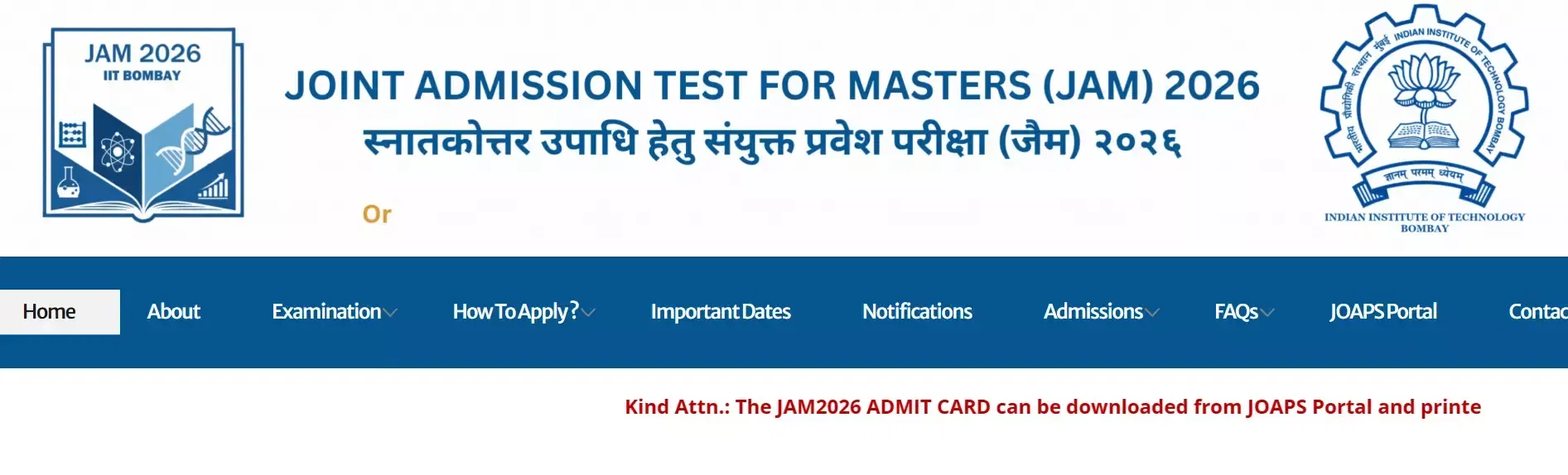
- Step 3: Next, click on the ‘submit’ button after entering the details.
- Step 4: Finally, access the admission events of JAM 2026 from the respective dashboard.
How to Retrieve JOAPS Lost Password?
The entire process of admission for JAM 2026 required the use of the login ID and password. Sometimes the candidates forget their password or enter the password wrong. In such cases, candidates can recover their enrollment ID and password by following the steps mentioned below:
- Step 1: Log on to the official website for JOAPS 2026.
- Step 2: Click on "forgot enrollment ID/ Password."
- Step 3: The Following points will be displayed.
-
- A request for an OTP- This will help you reset the password using an OTP sent to your email ID or mobile number.
- A 'reset the password' option if you have the OTP
- An option to reset your enrollment ID via SMS or email ID
- Step 4: Once done, candidates can reset the enrollment ID and password. Candidates must ensure to note it down for future use.
Also Check: IIT JAM Marks vs Percentile 2026
What are the Steps to Create JAM 2026 Login?
The process to create JAM 2026 login is simple and easy. In the points below, the steps to create a login are explained.
- Step 1: Candidates must visit the official website - jam2026.iitb.ac.in.
- Step 2: Afterwards, click on the link to apply for JAM 2026.
- Step 3: Now, register by entering the details like full name, e-mail address, mobile number, and password.
- Step 4: After entering the details, click on the ‘submit’ button.
What Are the Uses of JOAPS JAM 2026 Login?
The JOAPS login details can be used for a number of activities related to the IIT JAM 2026. The list of uses is as follows:
- To fill the JOAPS 2026 application form
- For correcting the JOAPS application form
- Checking the status of the JOAPS application form
- Downloading the admit card for IIT JAM 2026
- Challenging and answer key for IIT JAM 2026
- Downloading the JAM 2026 scorecard and checking the results of the exam
- Overall participation and use during the admission process.
Also Check: IIT JAM Cutoff for IITs 2026






![Indian Institute of Science, [IIS] Bangalore](https://media.getmyuni.com/azure/college-image/small/indian-institute-of-science-iis-bangalore.jpg)
![Indian Institute of Technology, [IIT] Bombay](https://media.getmyuni.com/azure/college-image/small/indian-institute-of-technology-iit-bombay.jpg)
![Indian Institute of Technology, [IIT] Kanpur](https://media.getmyuni.com/azure/college-image/small/indian-institute-of-technology-iit-kanpur.jpg)
![Indian Institute of Technology, [IIT] Kharagpur](https://media.getmyuni.com/azure/college-image/small/indian-institute-of-technology-iit-kharagpur.jpg)
















POST YOUR COMMENT